Ideas inspired by your look
AI hair design lets you explore haircut ideas on your own portrait instead of relying on a trend gallery or a photo of someone else.
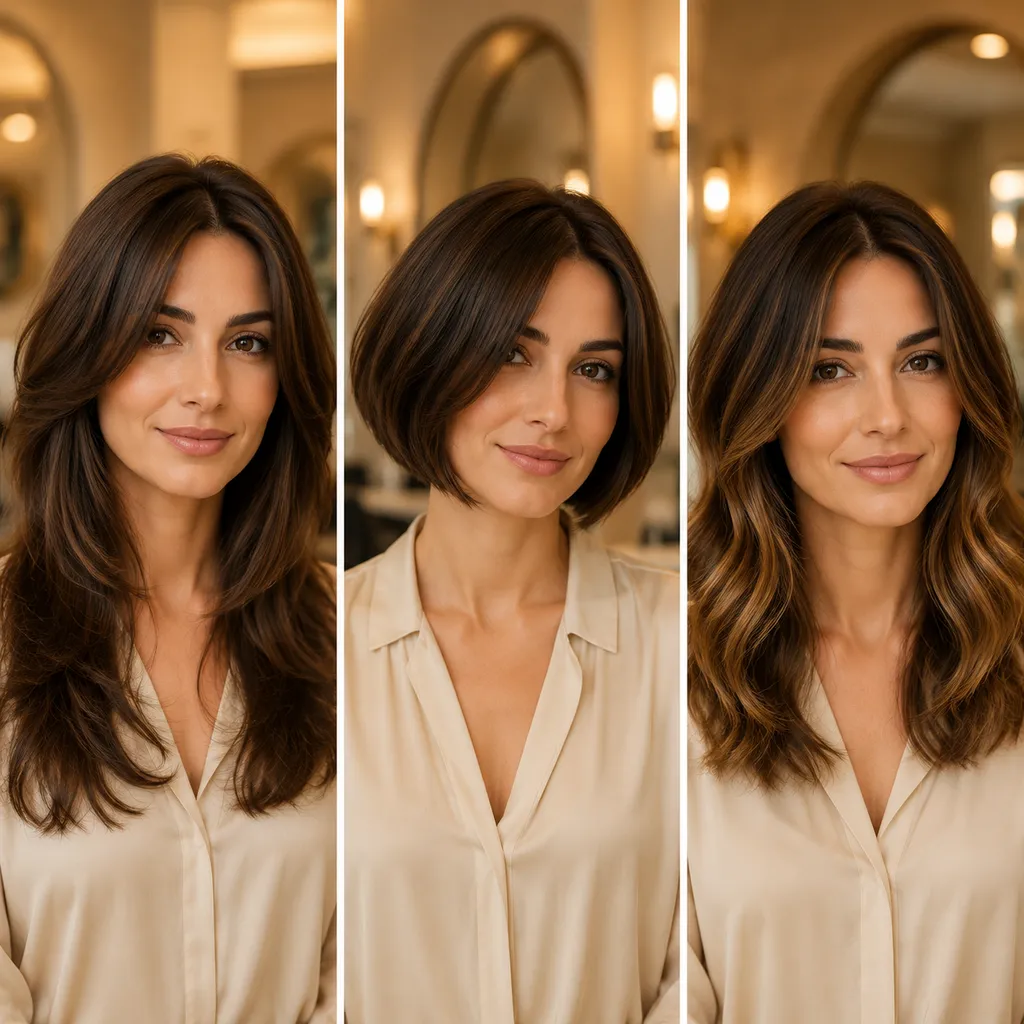
Compare several AI hair design directions, then keep the ideas that feel most like you.
AI hair design recommendations
FitHairAI uses your portrait as the starting point for AI hair design. It creates a varied set of haircut ideas you can preview and compare.
Use even light and keep your face outline, hairline, and current hairstyle visible.
JPG, PNG, WebP - Max 20MB
The sample shows the kind of hairstyle inspiration AI can create from your photo.
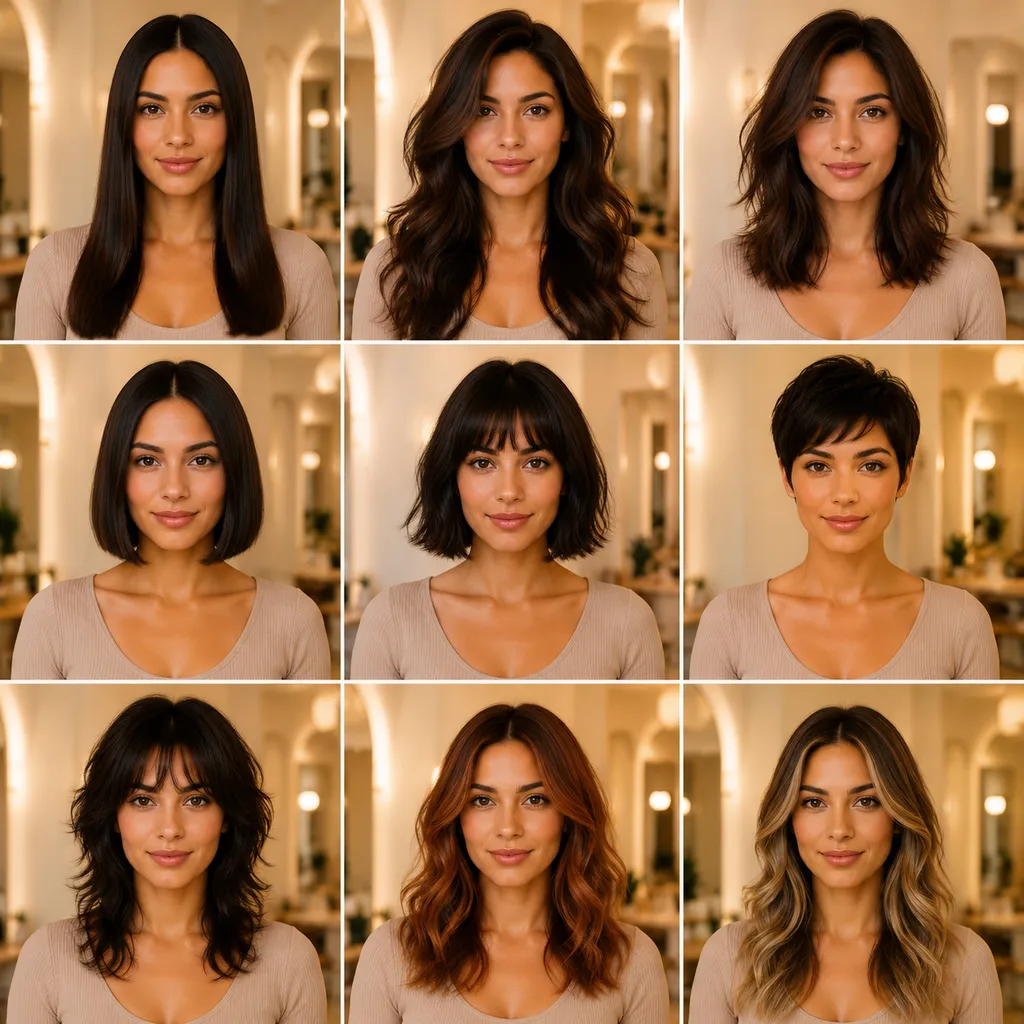
AI hair design is useful when you want a change but do not know which haircut to try. Start with your own photo and compare several possible directions.
AI hair design lets you explore haircut ideas on your own portrait instead of relying on a trend gallery or a photo of someone else.
Discover a mix of lengths, silhouettes, layers, fringe, texture, and volume without choosing every style one by one.
You do not need to know haircut terminology or write a detailed prompt. Upload your photo and let AI provide the starting ideas.
AI hair design results can change from one generation to the next. Try again when the first set does not match the direction you want to explore.
AI hair design starts with one clear portrait. Generate a set of hairstyle directions, compare them, and save any result you want to revisit.
Face the camera directly. Avoid hats, hands, heavy filters, deep shadows, and anything that hides your hairline or face outline.
Sign in if prompted and review the credit cost on the button. The AI hair design generator uses your portrait to create a set of haircut ideas.
Compare the AI hair design ideas, save the result when one stands out, or generate another set to keep exploring.
Each AI hair design result can include small refinements or a bigger change. The mix varies with your photo and each new generation.
AI hair design puts haircut ideas on your own portrait, which gives you more useful context than a generic trend gallery or celebrity photo.
See how shorter, medium, or longer directions can change the overall outline and balance of your look.
Compare softer layers, structured shapes, face-framing pieces, different partings, and changes in volume or finish.
Generate again to explore another interpretation of your portrait when you want more haircut inspiration.
AI hair design can help you discover directions, but it cannot fully assess your hair density, condition, growth pattern, shrinkage, or daily styling effort. Treat each result as a visual idea rather than a prediction of a real haircut.
Multiple hairstyle directions from one clear portrait
New recommendations when you generate again
Downloadable inspiration for a salon conversation
Refine your recommendation
AI hair design helps you discover the direction. Use a focused tool next when you want to explore a particular color, length, or haircut.
Choose a shade
Separate the haircut decision from the color decision. Preview blonde, brunette, red, gray, or a creative shade on your photo.
Preview hair colorsChoose a short shape
Explore bob variations when AI inspires you to consider a shorter, cleaner, or more structured silhouette.
Try a bob haircutKeep more length
Try longer styles when you want to compare extra length, movement, and layers before making a haircut decision.
Try longer hairTest a major change
Preview a much shorter direction when your AI recommendations make you curious about a bold salon or barber change.
Try a buzz cutWhat personalized hair design means, how recommendations are generated, and how to use the ideas.
Upload one clear portrait and AI uses visible details such as face shape, hairline, proportions, and overall style cues to generate different hairstyle ideas. Generation uses credits, and the current cost appears on the button before you start.
Use a sharp, front-facing portrait in even light. Keep your full face, hairline, jaw, and current hair visible, and avoid hats, heavy filters, hands near the face, or a busy background.
Yes. This page is designed for discovery, so you do not choose a preset first. AI suggests a varied set of haircut directions, and you can generate again when you want different ideas.
Each result is a generated concept, not a prediction of the finished haircut. You can show a favorite idea to a stylist, but discuss your real texture, density, condition, growth pattern, maintenance routine, and which details should change.
No app is required, but your portrait is uploaded to the service for generation rather than processed only on your device. Avoid images with IDs, addresses, children, workplace details, or other sensitive background information, and review the privacy policy before uploading.
Upload one clear portrait to get personalized AI hair design suggestions, then keep exploring until a direction feels worth trying.